Kubova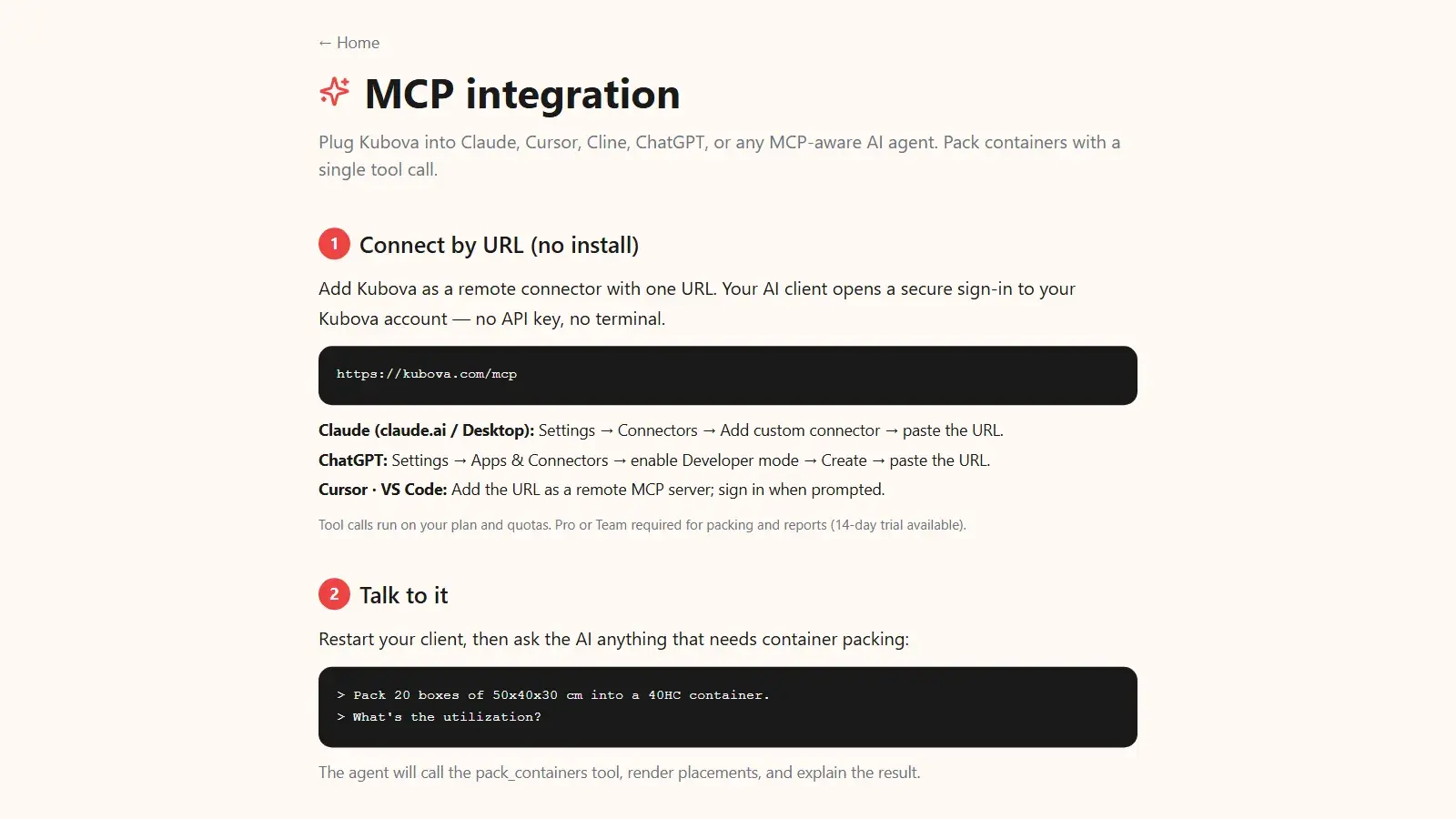
Short answer: Yes, you can plan a container load from ChatGPT or Claude, but only when the assistant can call a packing tool. The assistant reads your cargo list, asks for anything missing and sends it to a packing engine; the engine computes the 3D plan and returns placed counts, fill rate, weight against the payload limit, leftover units and a PDF. The model orchestrates. It never does the packing math itself.
Large language models are good with language and weak at geometry. Ask one how many 50×40×30 cm cartons fit in a 40-foot High Cube and it will divide one volume by another and give you a confident number that is too high. Give the same assistant a packing tool and the job changes: it collects your cargo, hands the numbers to an engine that does real 3D packing, and shows you a plan you can act on, inside the chat. This guide covers why the tool call matters, how the handoff works, a worked example, the three ways to connect Kubova, and the checks a person still has to make. It is the practical side of the AI-first approach: an engine does the core work and a person reviews it.
Why a chat model alone gets the number wrong
A model answering from its own reasoning does what most people do on a napkin: container volume divided by carton volume. That ignores the fact that cartons are rigid. A row that does not divide the container width leaves a strip of dead space, and the top layer rarely fits exactly under the roof. We measured the gap with the Kubova engine on 2026-06-08 for six common carton sizes in a 40 HC (about 76.3 m³ inside, a typical value that varies by carrier and box):
| Carton (cm) | Volume-only estimate | Placed by the engine | Volume used | Share of the estimate that did not fit |
|---|---|---|---|---|
| 40 × 30 × 25 | 2,542 | 2,466 | 97.0% | 3.0% |
| 50 × 40 × 30 | 1,271 | 1,150 | 90.4% | 9.5% |
| 80 × 60 × 50 | 317 | 285 | 89.7% | 10.1% |
| 120 × 80 × 60 | 132 | 110 | 83.1% | 16.7% |
| 60 × 40 × 40 | 794 | 660 | 83.1% | 16.9% |
| 30 × 30 × 30 | 2,825 | 2,240 | 79.3% | 20.7% |
On average, 12.8% of the cartons the volume-only estimate promised did not fit, and for a 30 cm cube it was 20.7%. A chat model that reasons its way to an answer lands in the second column. A model that calls a packing tool reports the third. Why the gap swings so much with carton shape is covered in how many boxes fit in a 40ft container.
How the handoff works: prompt, tool call, 3D plan
The Model Context Protocol (MCP) is the open standard that makes this a routine step instead of custom integration work. In the MCP specification, a server exposes tools, each with a name and an input schema, and tools are "model-controlled": the assistant discovers them and decides when to call them based on your request. The specification also recommends that a human stays in the loop with the ability to deny a tool call. In practice the exchange runs in four steps:
- The assistant gathers cargo and container. From your message, an order it can see, or an attached photo, PDF or spreadsheet of a packing list, it extracts each product's outer carton size, quantity and weight, plus the target container. If a weight or a dimension is missing, a good assistant asks instead of guessing.
- It calls the packing tool. Instead of estimating, it sends the structured cargo to the
pack_containerstool (or to the REST API, if you built the agent yourself). The specification asks clients to show clearly when a tool is invoked, so you can see that the number came from the engine. - The engine computes the plan. It places every carton in 3D inside the container's inner dimensions, applies your rotation and stacking rules, checks the total against the payload limit, and returns per-container placements with coordinates, utilization, weight and any unplaced pieces.
- The assistant explains the result and the next move. It summarizes the counts in plain language, flags leftovers, and can call
generate_reportfor a PDF load plan you can send to your forwarder.
Worked example: 1,200 cartons and one 40 HC
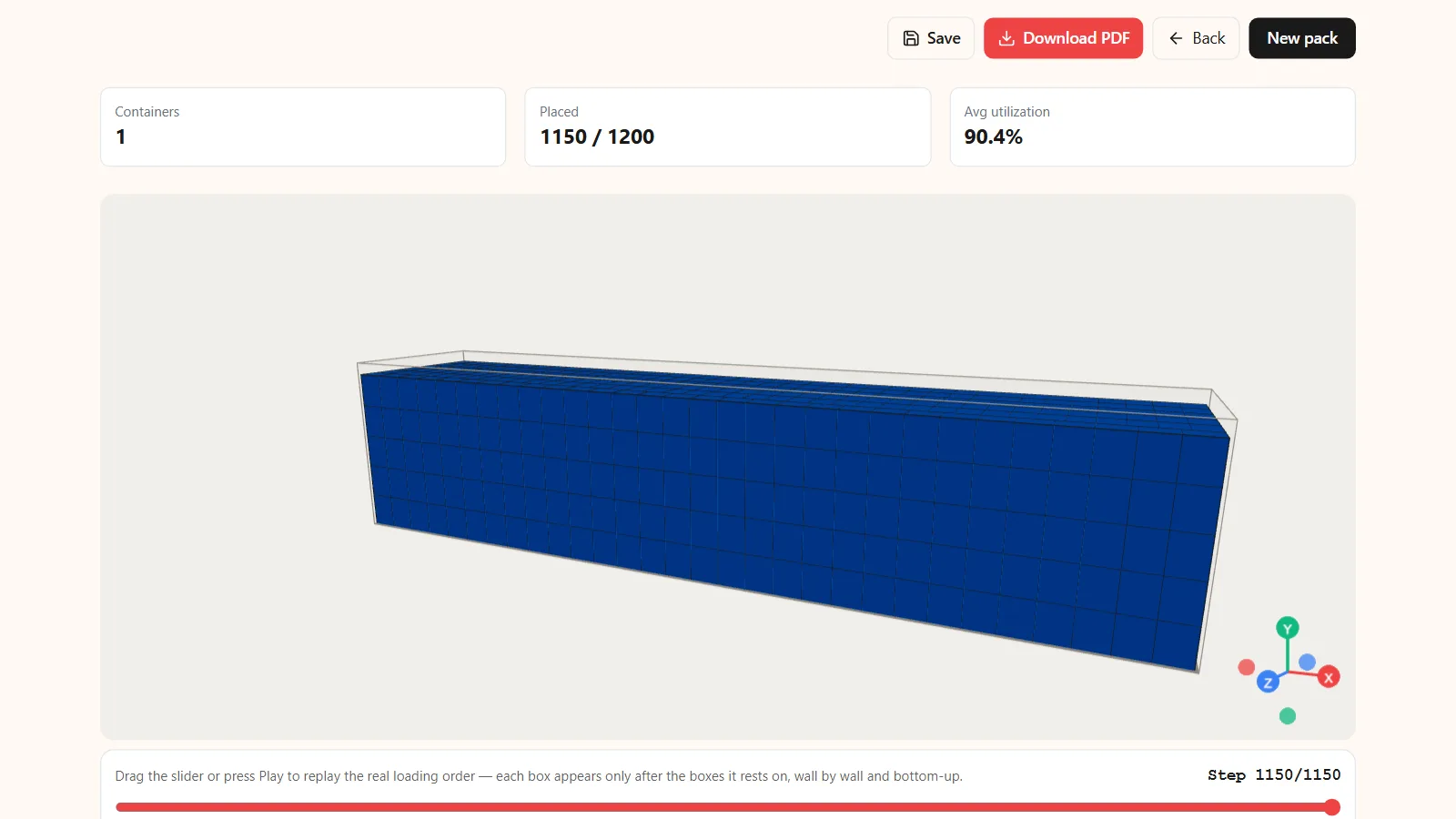
Illustrative example. The conversation below is illustrative; the count and fill rate are the Kubova engine's measured result for this carton in a 40 HC (2026-06-08, measured with light unit weights so that space is the binding limit).
You: "I have 1,200 cartons of 50×40×30 cm, 6 kg each. Do they fit in one 40-foot High Cube?"
A model without a tool tends to answer: "A 40 HC holds about 76.3 m³ and each carton is 0.06 m³, so roughly 1,271 fit. Yes, 1,200 will fit."
The same assistant after calling the packing tool: "Not quite. 1,150 cartons fit in one 40 HC, using 90.4% of the volume (69.0 m³). They weigh 6,900 kg, a fraction of the payload limit, so space is the limit here, not weight. 50 cartons (3.0 m³) are left over. Options: move them to the next shipment, send them as LCL, or try another carton or container. Here is the 3D plan and a PDF."
The arithmetic behind it: 1,200 × 0.06 m³ = 72.0 m³, which is under 76.3 m³, so a volume check says yes. Real 3D placement says 1,150 × 0.06 m³ = 69.0 m³ actually fits, and 1,150 × 6 kg = 6,900 kg. The 50 leftover cartons would put a second 40 HC at about 3.9% full (3.0 ÷ 76.3), which is exactly the kind of spill worth fixing at the planning stage; see when you can avoid a second container and, for small remainders, where FCL beats LCL.
The value of the tool call is not a nicer answer. It is the difference between promising a customer one container and discovering at the warehouse that 50 cartons are still on the dock.
Three ways to connect Kubova
Pick the path by where the assistant runs. All three use the same engine, so the same cargo and settings give the same plan whichever way you call it.
Option A: connect by URL (no install)
The easiest path for Claude, ChatGPT and Cursor. Add Kubova as a remote connector with one URL, https://kubova.com/mcp. Your client then opens a secure sign-in to your Kubova account: no API key, no terminal. This is the authorization model the MCP specification defines for connections over HTTP, built on OAuth 2.1.
- Claude (claude.ai or Desktop): Settings → Connectors → Add custom connector → paste the URL.
- ChatGPT: Settings → Apps & Connectors → enable Developer mode → Create → paste the URL.
- Cursor or VS Code: add the URL as a remote MCP server and sign in when prompted.
Option B: local install with the npm package
For a local server (offline config files, CI, automation tools), use the npm package @kubova/mcp with an API key from your dashboard. Add this to your MCP client's config file (Claude Desktop: claude_desktop_config.json; Cursor: ~/.cursor/mcp.json; Claude Code: ~/.claude/settings.json):
{
  "mcpServers": {
    "kubova": {
      "command": "npx",
      "args": ["-y", "@kubova/mcp@latest"],
      "env": { "KUBOVA_API_KEY": "kbv_..." }
    }
  }
}
The npx command downloads the package on first run; the key sits in the environment, which is how the MCP specification expects local servers to get credentials. Restart the client, then ask, for example: "Pack 20 boxes of 50×40×30 cm into a 40HC container. What's the utilization?"
Either way, the assistant gains these tools:
| Tool | What it does |
|---|---|
pack_containers | Packs a list of SKUs into one or more containers; returns per-container placements (x, y, z) and utilization. |
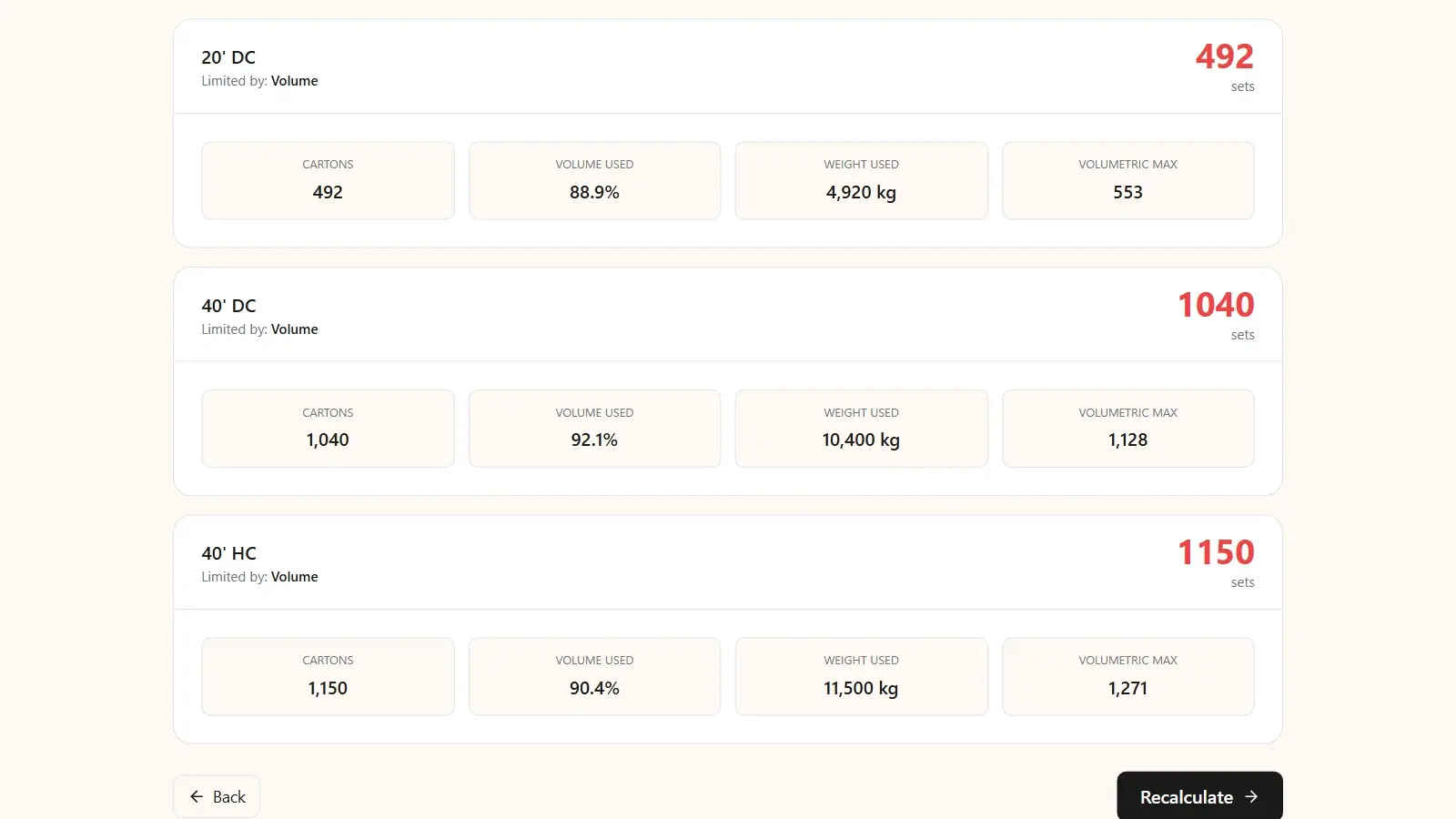
estimate_capacity | Works out how many complete sets of a product (one or more carton types per set) fit in one container, with the binding limit. |
generate_report | Renders a PDF load plan from a pack result and returns a download link. |
verify_key | Checks the connection: identity, scopes and rate limit. |
Option C: the REST API, for your own software
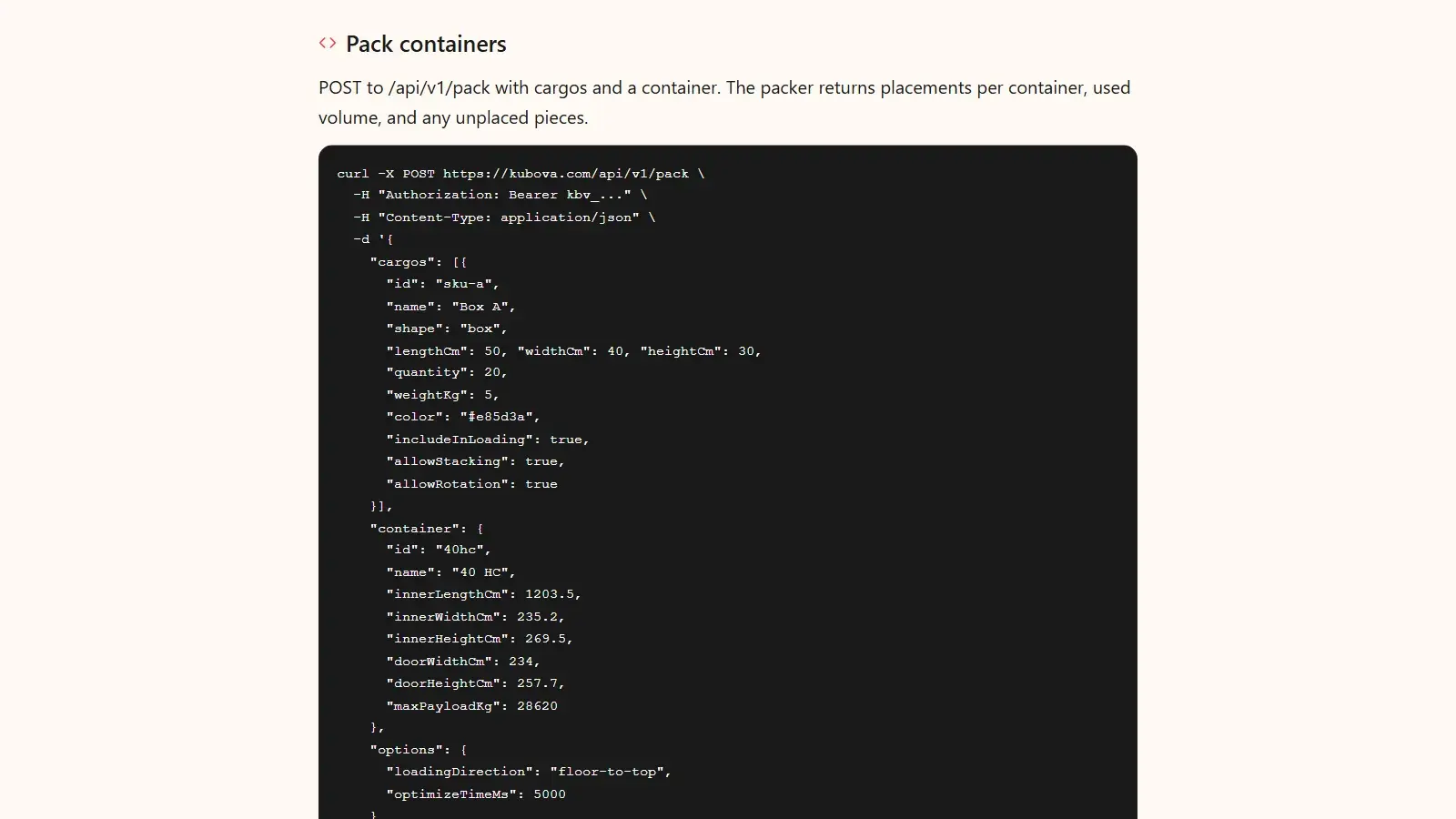
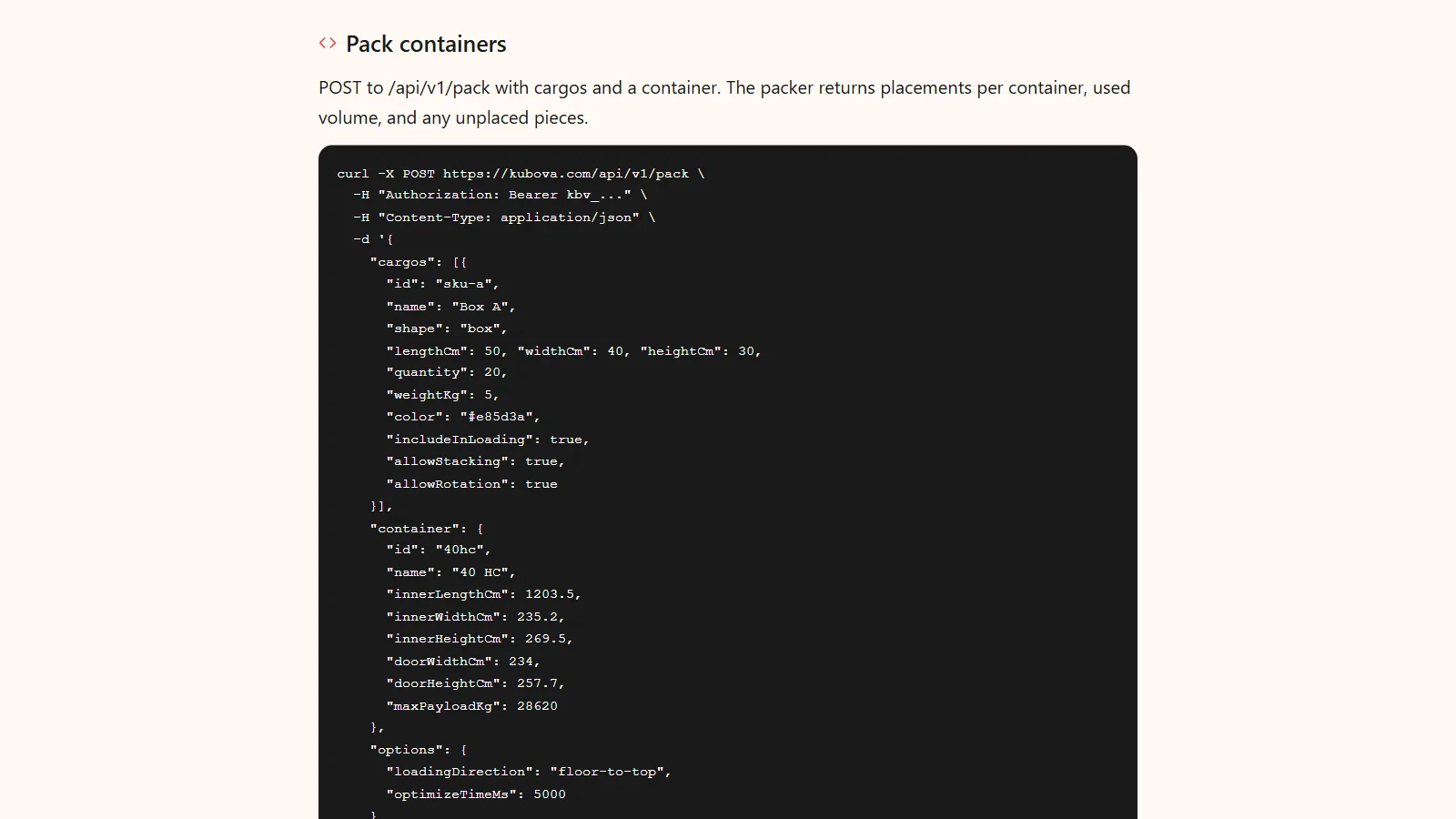
If you are building the agent yourself (an ERP step, a website bot, a custom assistant), call the pack endpoint directly with an API key. A request carries the cargo lines and the container; the response carries placements per container, the used volume and any unplaced pieces.
POST https://kubova.com/api/v1/pack
Authorization: Bearer kbv_...
Content-Type: application/json

{
  "cargos": [
    { "id": "sku-a", "name": "Carton A",
      "lengthCm": 50, "widthCm": 40, "heightCm": 30,
      "quantity": 1200, "weightKg": 6,
      "allowStacking": true, "allowRotation": true }
  ],
  "container": {
    "id": "40hc", "name": "40HC",
    "innerLengthCm": 1203.5, "innerWidthCm": 235.2, "innerHeightCm": 269.5,
    "doorWidthCm": 234, "doorHeightCm": 257.7,
    "maxPayloadKg": 28620
  }
}
The container figures are typical 40 HC values; replace them with the spec of the box your carrier assigns. The /api/v1/report endpoint takes the same body and returns the PDF, and /api/v1/capacity answers the sets question. Full request and response schemas are in the API docs.
What to give the assistant: an input checklist
A plan is only as good as its inputs. Before you press enter, make sure the request covers:
- Outer carton dimensions (L × W × H) of the shipping carton, including any bulge or protrusion, not the product's nominal size. State the unit.
- Quantity per SKU.
- Unit weight per carton. Without it the plan cannot warn you when weight, not volume, is the limit. In our 2026-06-08 benchmark, cargo denser than about 375 kg per m³ reached a 40 HC's payload limit before it filled the space (volume vs weight).
- Rotation and stacking rules. "This side up", "do not stack" or "may lie on its side" change the achievable fit, especially for mixed loads.
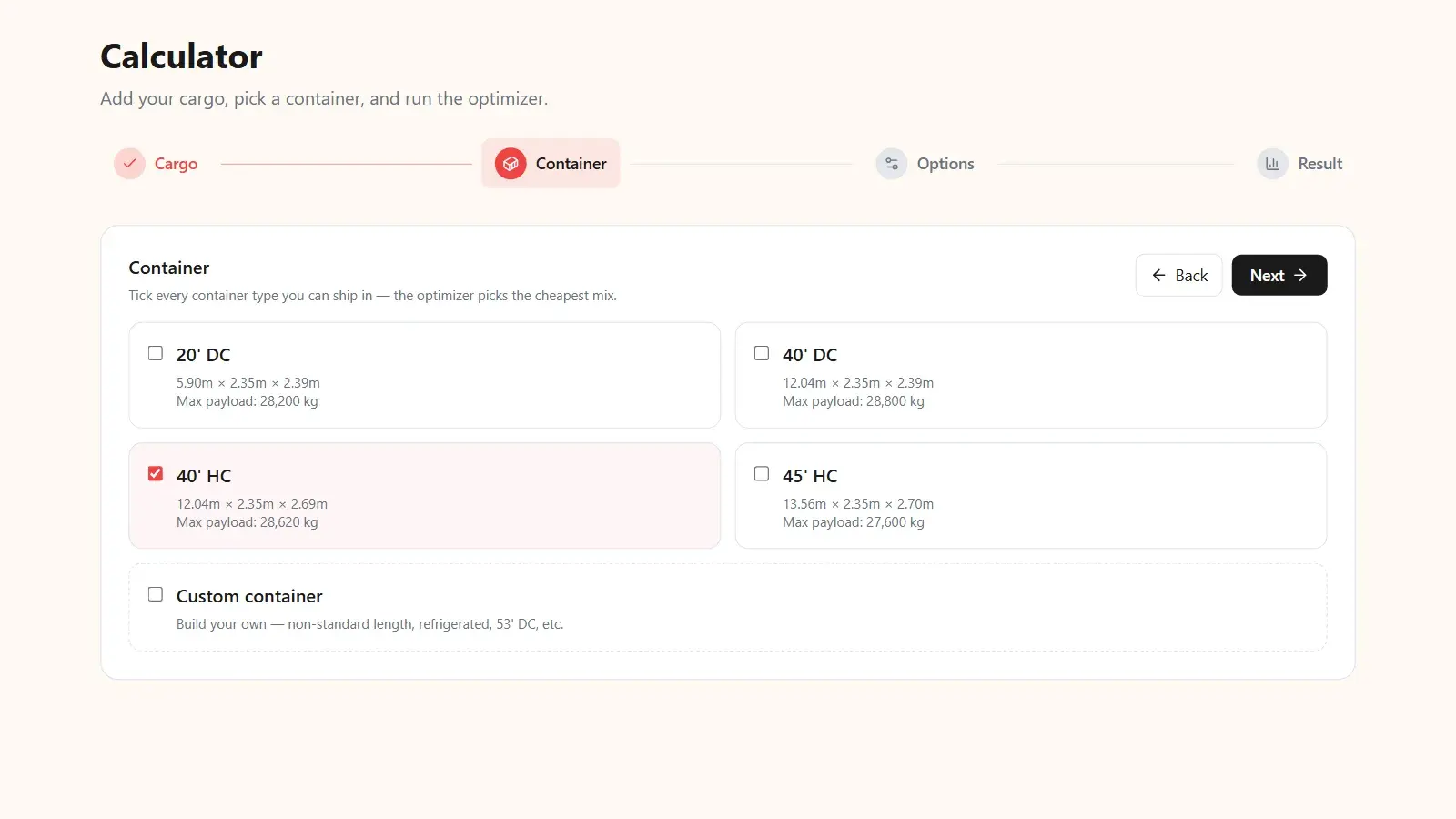
- Container type or custom dimensions. 20ft, 40ft, 40HC, or the inner size, door and payload of the box you were actually given.
- Pallets, if any. A standard or custom pallet base, and whether cartons go on pallets first.
- The question you are really asking. "Does it fit in one?", "How many complete sets per container?" (a capacity question), or "Is a 40 HC worth it over a 40 DC?" (two plans, compared).
You do not have to type any of this. Attach a photo of the packing list, a spec-sheet PDF or a spreadsheet, and the assistant reads the dimensions and counts from it before calling Kubova. Check what it extracted before you trust the plan: a misread digit produces a wrong plan delivered with full confidence.
Common mistakes when planning a load in chat
- Accepting an answer that did not come from a tool call. If your client shows no tool call, the number is the model's own estimate. Ask it to run the packing tool.
- Nominal sizes instead of carton sizes. Illustrative example: a 60 × 40 cm product in a carton with 1 cm of padding on each side ships as 62 × 42 cm. Along a typical 40 HC inner length of about 12.03 m, that is 20 cartons per line at 60 cm (1,200 cm) but only 19 at 62 cm (1,178 cm).
- Leaving out weights. A volume-only answer over-promises on dense cargo, and nothing in the chat will warn you.
- Mixing units. A packing list in inches and pounds pasted into a request that assumes centimetres and kilograms gives a plan for different cargo. Say which units you use; Kubova works in metric or imperial.
- Planning SKUs one at a time. Ask for one combined plan. Mixed loads pack differently, because small cartons fill the gaps big ones leave: in our 2026-06-08 benchmark a mixed three-SKU load reached 93.1% volume use, above the 75.5% to 90.4% that cube, medium and large cartons reached on their own. See mixed-SKU container loading.
- Treating the load plan as a securing plan. Where cartons go and how they are held in place are different questions, covered next.
Where a person still has to sign off
The engine optimizes geometry and weight. It does not handle load securing and bracing, dangerous-goods segregation, customs rules or carrier-specific limits, and it knows only the fragility rules you give it as stacking and rotation settings. Three references mark the line:
- The IMO/ILO/UNECE Code of Practice for Packing of Cargo Transport Units (CTU Code) gives guidance on packing and securing cargo in containers, the responsibilities along the transport chain, training and the packing of dangerous goods. A load plan says where cartons go; the CTU Code is about keeping them there.
- Under SOLAS, the verified gross mass of a packed container is a condition for loading it on a ship, and the shipper is responsible for providing it. The plan's weight total comes from your declared unit weights; it is a planning figure, not a VGM.
- The MCP specification itself recommends a human in the loop who can deny tool calls. Keep it that way for anything that commits money: the assistant drafts, a person approves.
Use the plan as a fast, accurate first draft and have a person confirm it before loading. It is a planning estimate, never a guarantee of how a specific shipment must be loaded.
How Kubova handles this
Kubova exposes one packing engine through three doors: the web calculator, the REST API and the MCP server. That is what makes it usable from a chat:
- Real 3D packing that never places a carton past a container wall. Every box in the result has exact coordinates, and the plan respects inner dimensions, rotation and stacking rules, and the payload limit. Results return in seconds.
- Honest leftovers. If 50 cartons do not fit, the result says 50 do not fit. It does not round a 90.4% load up to 100%.
- Mixed SKUs, cylinders, pallets and multi-container plans in one request, with 20ft, 40ft, 40HC or custom containers.
- The sets question.
estimate_capacity, and the Capacity tool in the browser, answer how many complete sets fit per container and which limit binds. - A PDF load plan with 3D views, counts, utilization and weight, generated from the same result. Plans made in the web app can be saved to your dashboard, reopened and re-exported.
- Plans and access. The Free plan covers the web calculator (50 packs and 20 PDF reports a month). Packing through MCP or the API needs Pro (5,000 packs a month, 14-day trial) or Team, and tool calls count against your plan's quota. See pricing, the MCP setup guide and the step-by-step guide.
The interface is available in 10 languages, with metric or imperial units.
Sources & method
- Model Context Protocol specification, version 2026-07-28: the overview for what MCP is and how hosts, clients and servers relate; Tools for model-controlled tools with input schemas, visible tool invocations and the human-in-the-loop recommendation; Authorization for OAuth 2.1-based sign-in over HTTP and for local (stdio) servers reading credentials from the environment.
- CTU Code (IMO/ILO/UNECE): imo.org, for the scope of packing and securing guidance, responsibilities and dangerous goods.
- SOLAS verified gross mass: imo.org, for VGM as a condition for loading and the shipper's responsibility.
- Engine figures: the volume-only and placed counts, fill rates, the 93.1% mixed-load figure and the 375 kg per m³ crossover are direct outputs of the Kubova packing engine, measured on 2026-06-08. Light unit weights were used where the question is volume, so that space is the binding limit; real weights were used for the weight crossover. The 40 HC inner volume of about 76.3 m³ and the container values in the API example are typical; check the spec sheet of the box you are given.
- Product details: connection steps, tool names and request fields are taken from Kubova's MCP and API documentation as of 2026-10-17. The conversation and the carton-padding case are illustrative examples; their arithmetic is shown in the text.