Kubova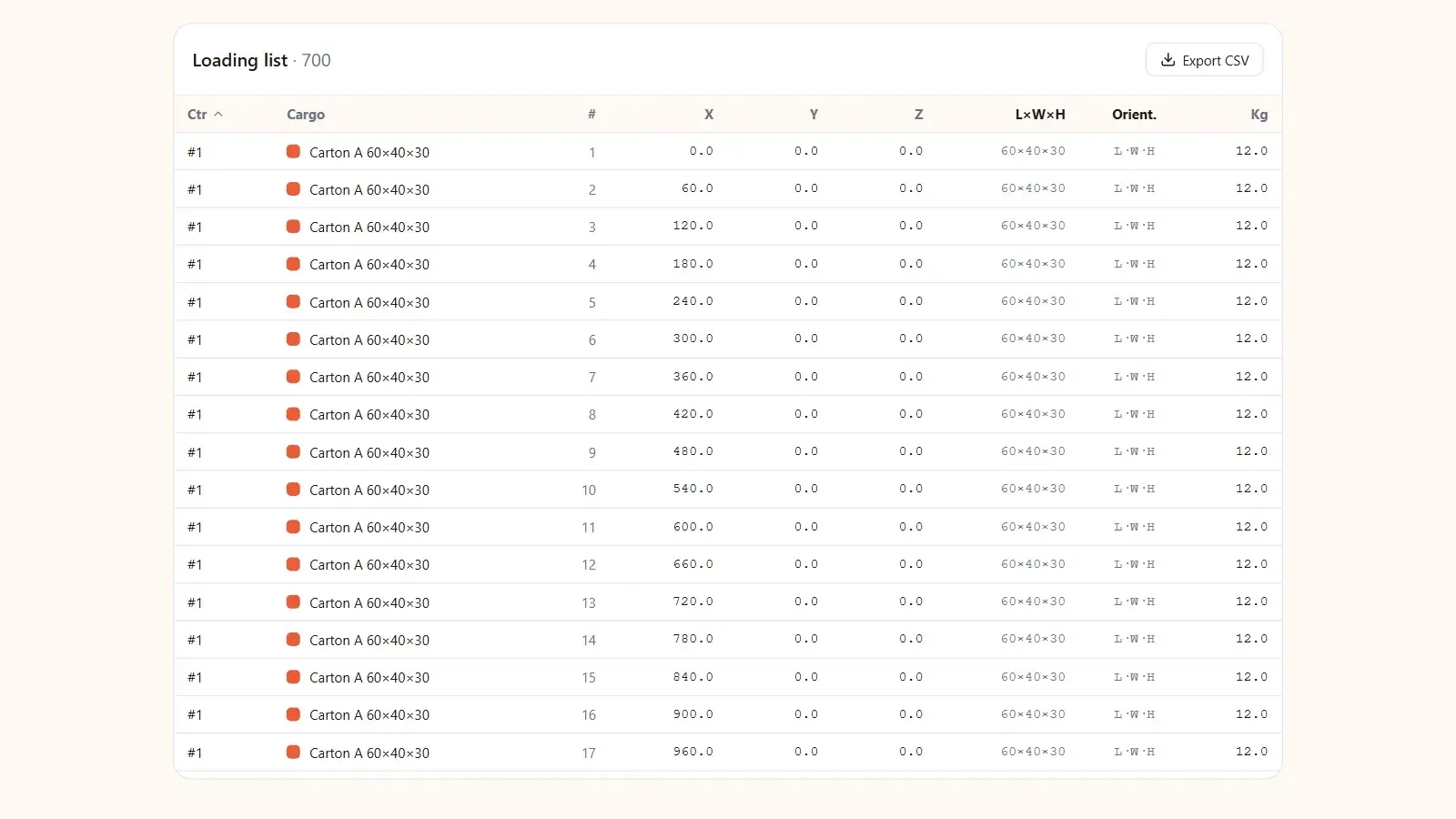
Container load plan checklist: a plan a forwarder and loading crew will accept has seven parts: a reference and container type, a cargo list with dimensions, weight and quantity, placed-versus-ordered counts, total weight against the payload limit, volume utilization, a layout view that includes the door end, and handling notes. Miss any of them and the crew either cannot verify the plan or cannot load from it.
A load plan is the difference between "trust me, it fits" and a document a loading crew can work from. Most plans that get ignored fail for the same handful of reasons. Here is what belongs on one, how it maps to the international code of practice for packing containers, a template you can copy, and the mistakes that get a plan quietly set aside at the warehouse.
A load plan is not a stuffing photo
Plenty of "load plans" are really after-the-fact evidence: a photo of a packed container. That tells you what happened, not what should happen. A real plan is made before loading and answers three questions the crew has: what goes in, in what order, and does it stay within the weight limit and balance. It is also the document your customer or forwarder checks against the order.
The IMO/ILO/UNECE CTU Code, the joint code of practice for packing cargo transport units, puts the same idea first: packers should plan the packing process in advance as far as practical (chapter 9, 9.1.1).
The seven components
Every load plan a crew can act on has these; the weak ones are missing two or three:
- Reference and container. An order or booking reference and the exact container type (20 DC, 40 DC, 40 HC, 45 HC) or its inner dimensions. Inner sizes and payloads vary by carrier and box, so state the figures you planned with.
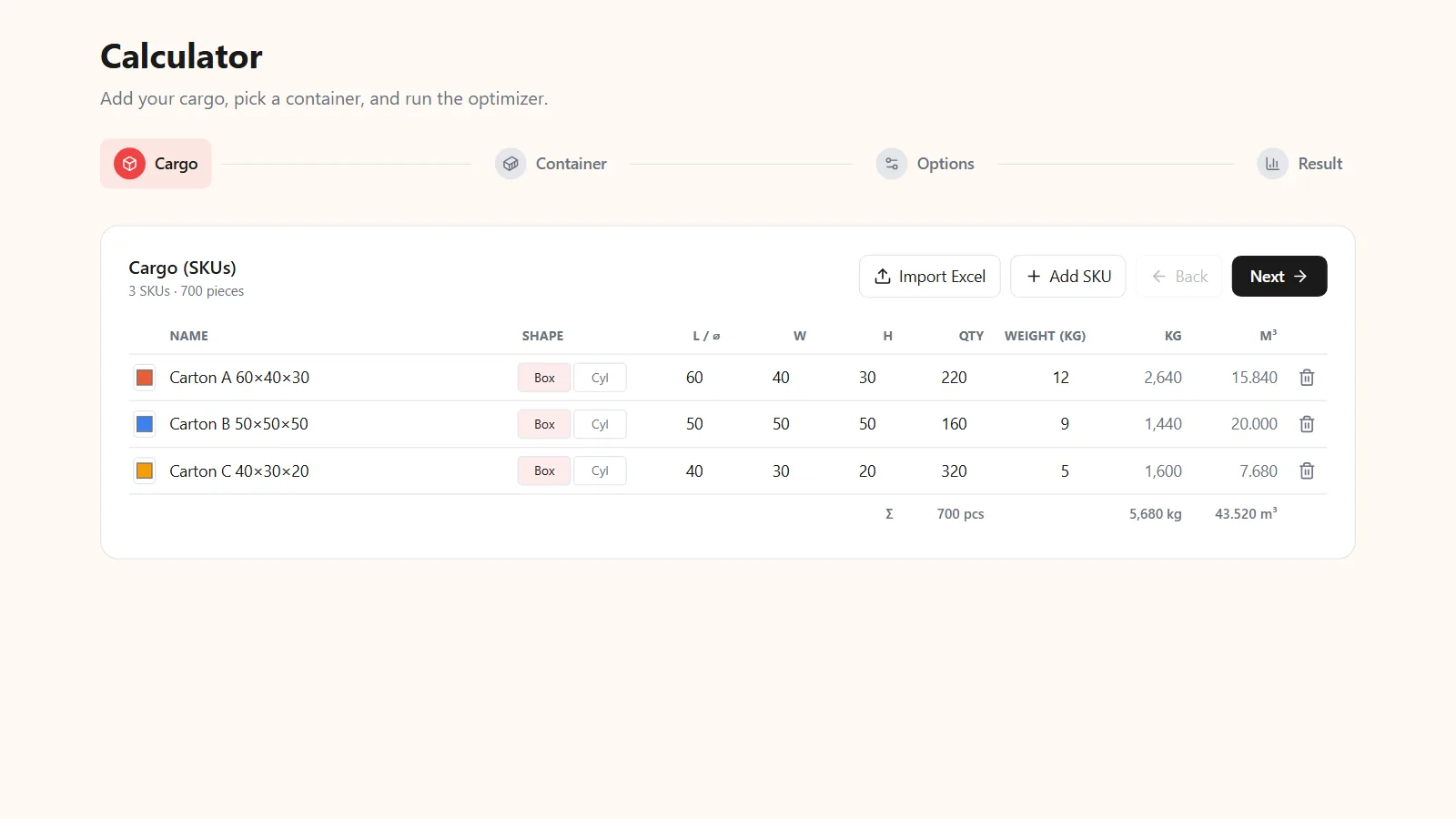
- Cargo list. Each SKU with outer carton L×W×H, unit weight and quantity.
- Placed vs ordered. How many of each SKU went in versus were ordered, so a short-load is visible before departure, not a surprise at destination.
- Weight check. Total cargo weight against the container's payload limit, with margin.
- Volume utilization. The honest fill rate, the number you can defend, not a rounded-up 100%.
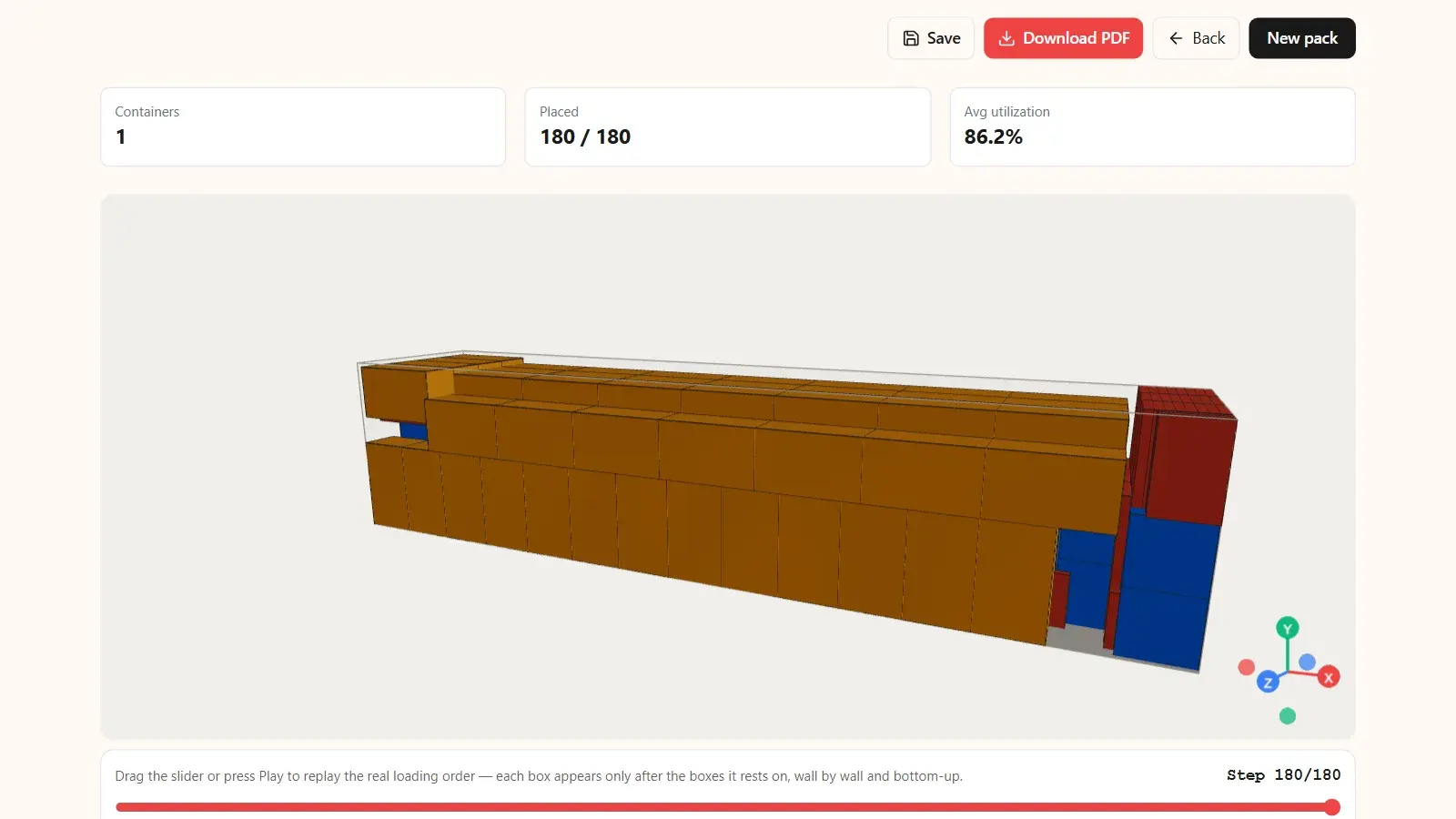
- Layout view. A 3D or top-down diagram of where items sit, including the door end so the crew sees how the last bay is built.
- Handling notes. This-way-up, do-not-stack, fragile, and any segregation requirements. Furniture loads lean hardest on this field (loading furniture into containers).
What the CTU Code expects the plan to cover
The CTU Code lists what packers should ensure when planning (chapter 9, 9.1.1) and what they owe the shipper on completion (chapter 11). Each item maps to a field on the template:
| CTU Code expectation | Where it goes on the plan |
|---|---|
| Incompatible cargoes are segregated | Handling notes; layout view |
| Special handling instructions are observed | Handling notes (this-way-up, stacking limits) |
| The maximum permitted payload is not exceeded | Weight check |
| Restrictions for concentrated loads and for eccentricity of the centre of gravity are complied with | Layout view; a balance note |
| Cargo and securing materials comply with ISPM 15 when applicable | Handling notes (wood packaging) |
| The packer determines the gross mass and passes the container number, verified gross mass and seal number to the shipper (11.3.2 and 11.3.3) | Header, completed at stuffing |
For balance, the Code says the cargo's centre of gravity should be close to the container's mid-length and mid-width, with an eccentricity of no more than 5% in general. Its rule of thumb: no more than 60% of the cargo mass in half of the container's length (Annex 7, 3.1.4).
The template (copy this)
A minimal load plan fits on one page. The header carries the reference and totals, the body is the cargo table, and the footer is the layout and notes.
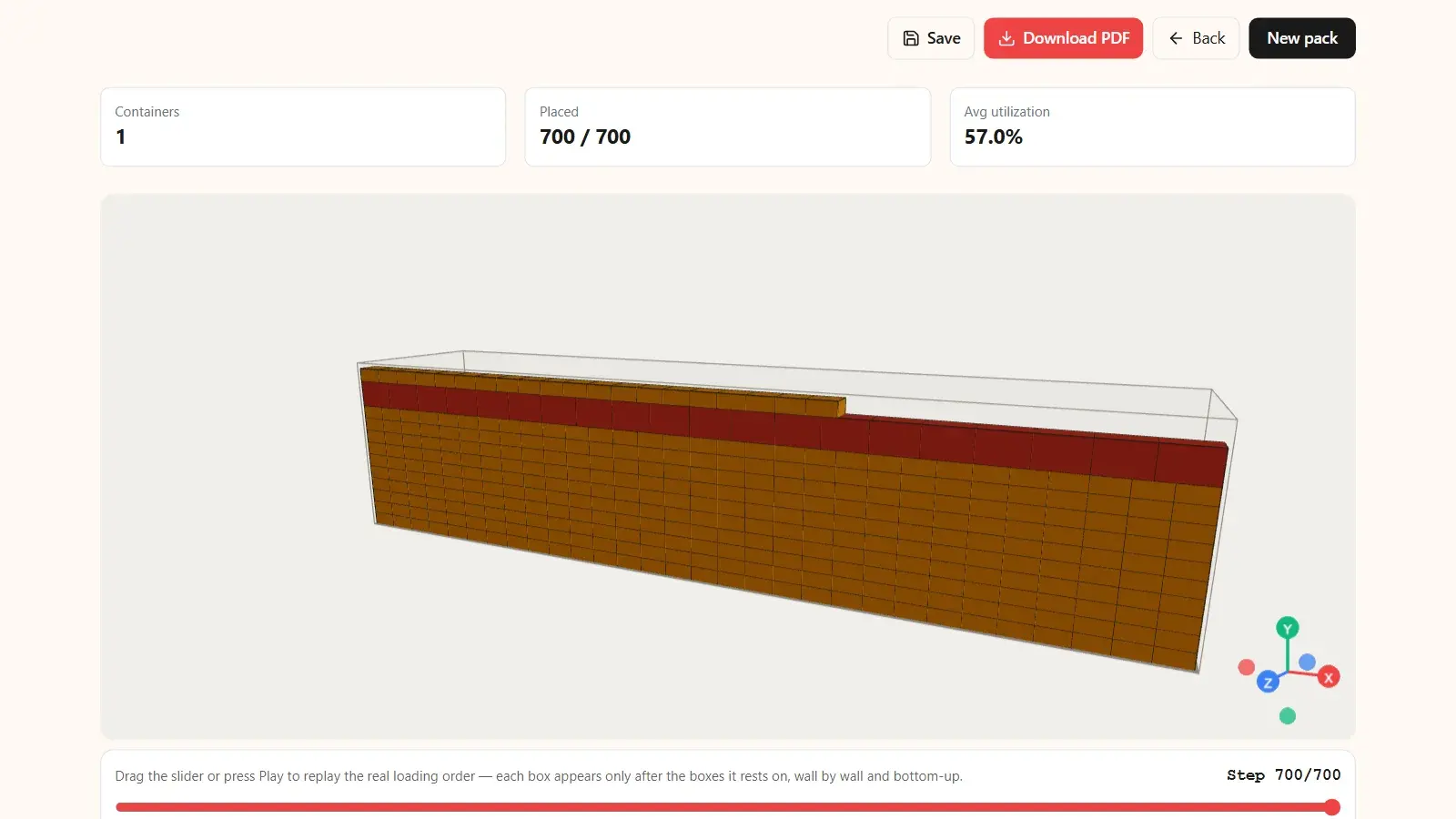
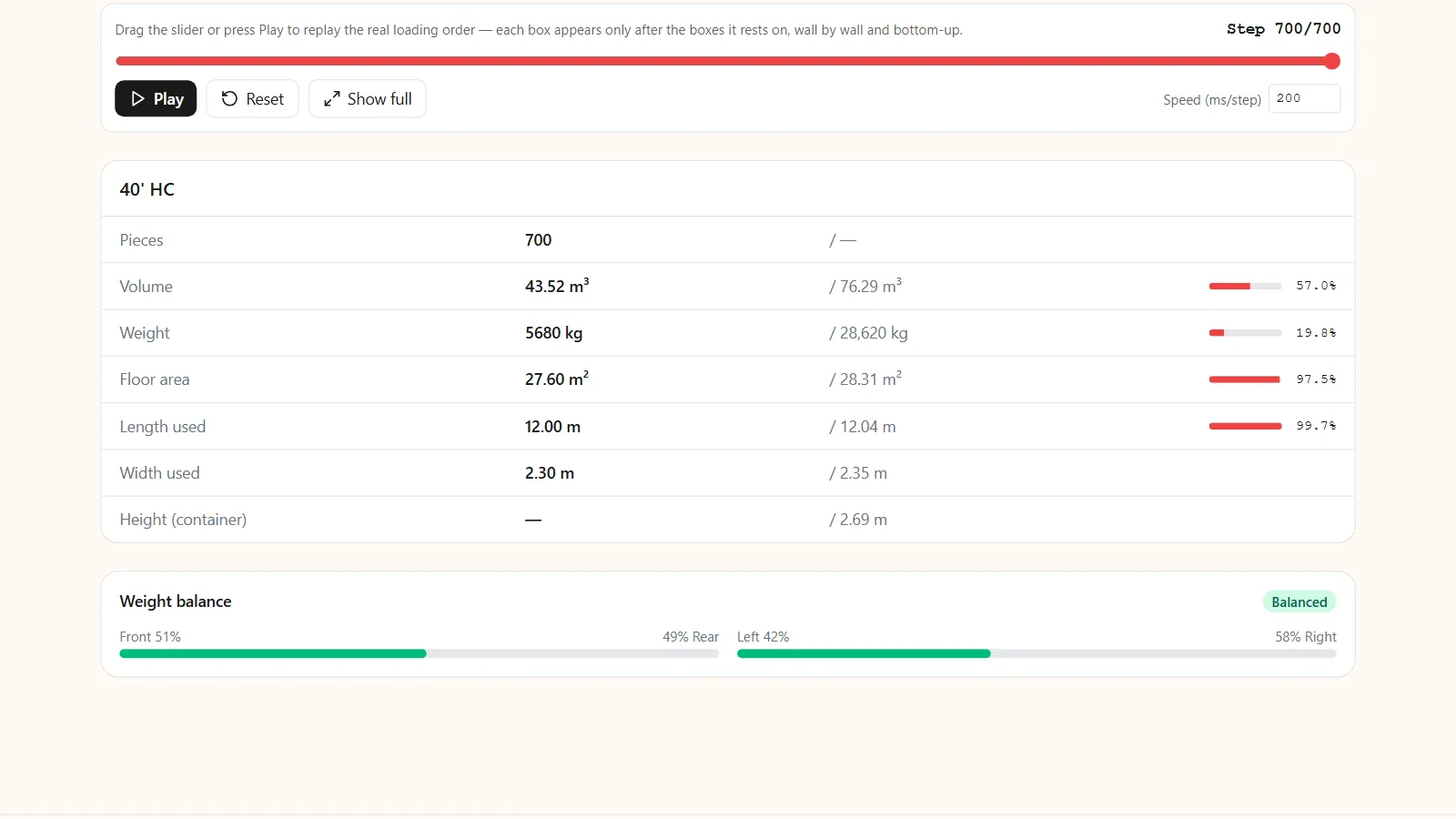
Illustrative example. The cargo is the three-SKU order measured in our mixed-SKU loading test (Kubova engine, 2026-06-08), where all 700 cartons fit one 40 HC. The reference numbers are made up.
| Field | Example |
|---|---|
| Reference | PO-2026-0481 / Booking BKG-77213 |
| Container | 1 × 40' High Cube, planned on inner 1,203.5 × 235.2 × 269.5 cm (typical values, confirm for your box) |
| Total placed | 700 / 700 cartons |
| Cargo weight | 5,680 kg against a 28,620 kg payload limit |
| Volume used | 43.52 m³ of 76.3 m³ (57.0%) |
| Balance | Heavy cartons spread along the length; check against the 60%-in-half-the-length rule of thumb |
| Layout | 3D plan + top-down + door-end view (attached) |
| Notes | All SKUs stackable and rotatable as planned; list any this-way-up, no-stack or fragile flags here |
| At stuffing | Container number, seal number, verified gross mass |
One-page load-plan header. Every total below must match the cargo table.
| SKU | Carton (cm) | Unit kg | Line kg | Line m³ | Placed / ordered |
|---|---|---|---|---|---|
| Carton A | 60 × 40 × 30 | 12 | 2,640 | 15.84 | 220 / 220 |
| Carton B | 50 × 50 × 50 | 9 | 1,440 | 20.00 | 160 / 160 |
| Carton C | 40 × 30 × 20 | 5 | 1,600 | 7.68 | 320 / 320 |
| Total | 5,680 | 43.52 | 700 / 700 |
The cargo table: every SKU reconciled placed-versus-ordered, with line weights and volumes that add up to the header.
Why the door view matters
Crews load from the far end of the container towards the doors, so the door end is the last bay they build and the one where a paper plan and a real container most often disagree. Three reasons to show it explicitly:
- The door opening is lower than the inside. In Kubova's standard 40 HC profile the door opening is 257.7 cm high against 269.5 cm inside (typical values; check your box). A pallet or tall piece that fits the interior can still fail to clear the door.
- The final face must hold. The CTU Code treats the doors as a cargo boundary only when cargo is stowed so it cannot strike them or fall out when they are opened (Annex 7, 4.2.5), and warns against using dunnage bags in the doorway without precautions (Annex 7, 2.3.8).
- Some cargo belongs at the door. Goods that carriers or authorities may inspect, such as dangerous goods or goods liable to customs duty, should if possible be stowed at the door end (Annex 7, 3.2.2).
Load plan weight is not the VGM
Since 1 July 2016, SOLAS has required a verified gross mass (VGM) for every packed container before it is loaded onto a ship. The shipper either weighs the packed container (Method 1) or weighs all packages and cargo items, including pallets, dunnage and securing material, and adds the container's tare (Method 2, using a method approved by the authority of the country where packing was completed). The 5,680 kg on the example plan is the cargo only, so it is an input to Method 2, not the VGM.
How to build a container load plan
- Collect the cargo data. Outer carton L×W×H, gross weight and quantity per SKU, measured on the real cartons.
- Fix the container. Type and the inner dimensions and payload of the box you are booked on.
- Write the handling rules. This-way-up, no-stack, stacking limits, segregation and anything that must sit at the door.
- Plan all SKUs together. Mixed cartons fill each other's gaps; planning one at a time over-books space. Start from realistic counts (how many boxes fit in a 40ft container).
- Reconcile the totals. Placed versus ordered per SKU, line weights and volumes summed into the header.
- Check weight and balance. Total against the payload, heavy cartons spread along the length.
- Attach the layout. 3D or top-down views plus the door end.
- Complete it at stuffing. Container number, seal number and the VGM.
Mistakes that get a plan rejected
- No weights. Without unit weights the forwarder cannot confirm the payload limit, so the plan cannot be trusted for booking.
- Counts that do not reconcile. If the header says one total and the cargo table adds up to another, the plan raises more questions than it answers.
- Totals that cannot physically fit. Add up the line volumes: if they exceed the container's inner volume, the plan is wrong before anyone opens a door.
- Photo-only layout. An image of a finished load is not a plan a crew can load from.
- No door view. The crew cannot see the one bay most likely to cause trouble.
- Overfilled numbers. A fill rate that assumes the container is stretched beyond its real dimensions falls apart on the floor.
- Treating cargo weight as the VGM. It leaves out packaging, dunnage, securing material and the container's tare.
How Kubova builds the plan for you
Drawing a load plan by hand is slow and easy to get wrong. In the Kubova calculator, enter each carton's dimensions, weight and quantity, set stacking and rotation rules per item, pick a 20ft, 40ft or 40HC container or custom dimensions, and press Calculate. The result returns in seconds with:
- An interactive 3D view where every box has exact coordinates; rotate it to check the door end before you send anything.
- Units loaded, volume utilization and weight against the payload limit, with leftover units reported honestly instead of a fake 100%.
- Multi-container plans when one box is not enough, with mixed SKUs packed together.
- A downloadable PDF load plan with 3D views, counts, utilization and weight. Packs are saved to your dashboard, so you can reopen and re-export them; Team plans add white-label PDFs.
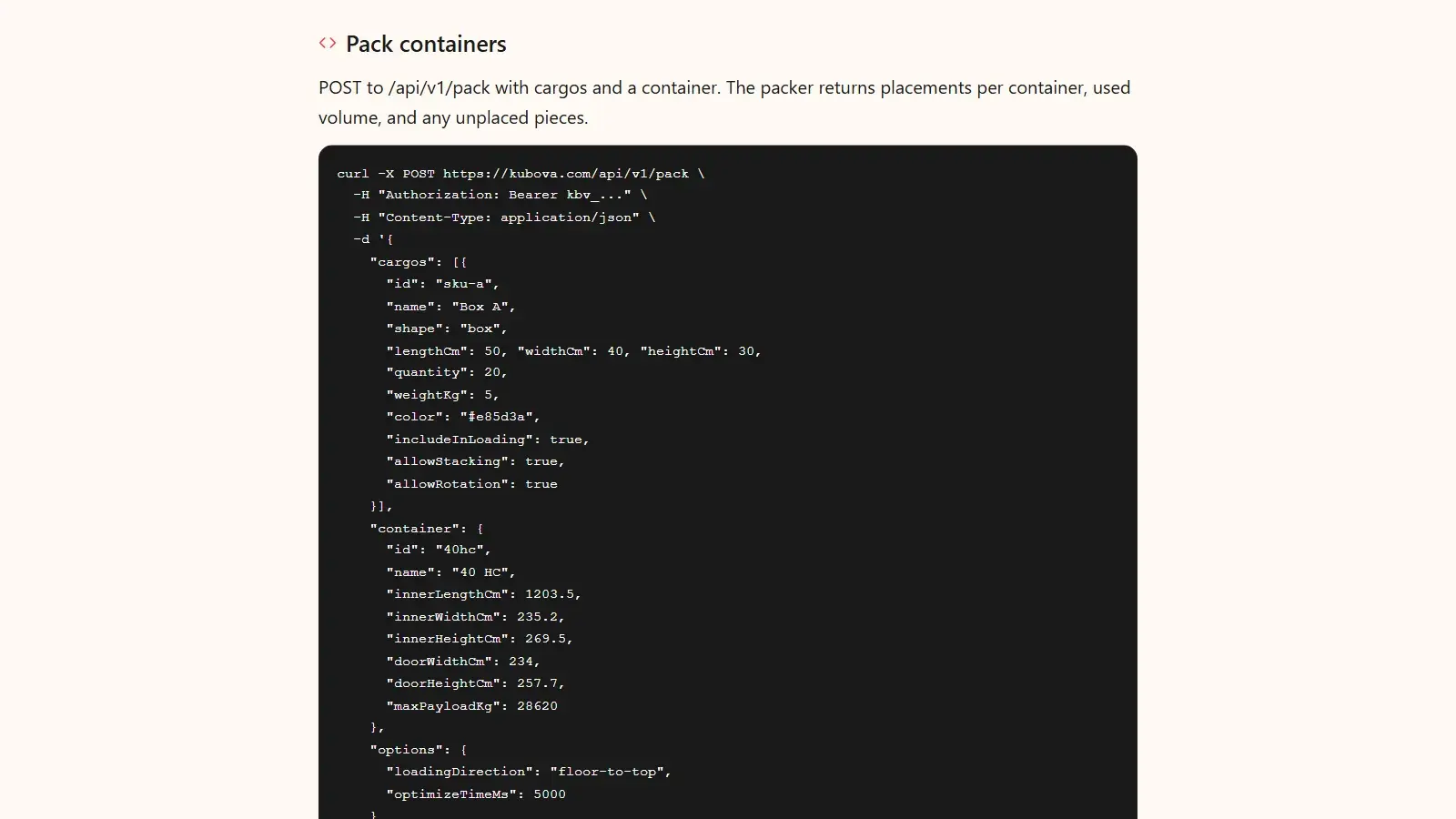
If your load plans start in another system, the REST API returns the same pack and PDF report with an API key, and an AI assistant can build one from a packing list (plan a container load from ChatGPT or Claude).
Sources & method
- IMO: CTU Code overview, the joint IMO/ILO/UNECE non-mandatory code of practice for packing cargo transport units (2014).
- CTU Code full text, MSC.1/Circ.1497: chapter 9 (planning, 9.1.1), chapter 11 (documentation, 11.3) and Annex 7 (Packing and securing cargo into CTUs: 2.3.8, 3.1.4, 3.2.2, 4.2.5).
- IMO: Verification of the gross mass of a packed container, for the SOLAS VGM requirement, its two methods and the 1 July 2016 entry into force.
- Maersk: cargo weight limit by container type, which lists 28,690 kg and 76.4 m³ for its 40' high cube and notes that limits vary by country. The example uses the typical values in Kubova's standard 40 HC profile (28,620 kg, 76.3 m³), which shows why the plan should state the figures it used.
The template is an illustrative example. The cargo is the order measured with the Kubova engine on 2026-06-08 (all cartons rotatable and stackable in that run); the weights, volumes and the 57.0% utilization are arithmetic on those cartons.